



 Polski
 English
 Italiano
 Español
 Čeština
 Српски
 Deutsch
 Ελληνικά
 Slovenský




-
zł
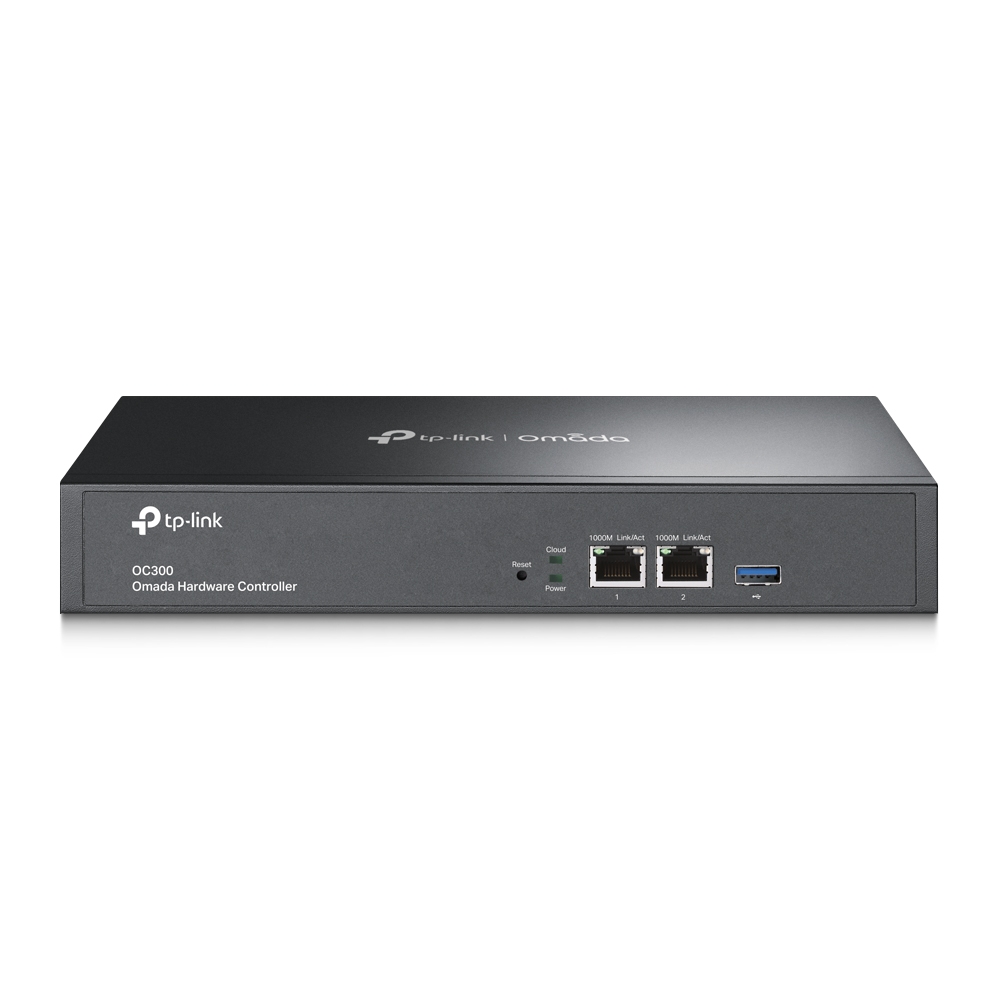
TP-Link OC300 Omada Hardware Controller
Price
1 394,94 zł
1 715,78 zł incl. tax
favoriteAdd to wishlist
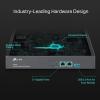
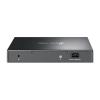
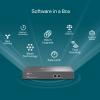
The TP-Link OC300 is a dedicated hardware controller for centralized management of the Omada Software Defined Networking (SDN) platform. The device is designed for the centralized configuration, management, and monitoring of TP-Link EAP/JetStream/Omada Router access points, switches, and routers in large and medium-sized business networks. The controller is equipped with a Gigabit Ethernet port for network connection and USB 3.0 and USB 2.0 ports intended for automatic configuration backups. It supports the management of up to 500 Omada devices and up to 15,000 clients simultaneously, making it a scalable solution for high-density networks. The OC300 enables remote cloud access and local access via a web interface, eliminating the need for a dedicated PC server to host the controller software. It is powered by an external $12\text{ V}/1\text{ A}$ DC power adapter and is designed for rack mounting ($1\text{ U}$).
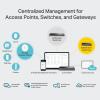
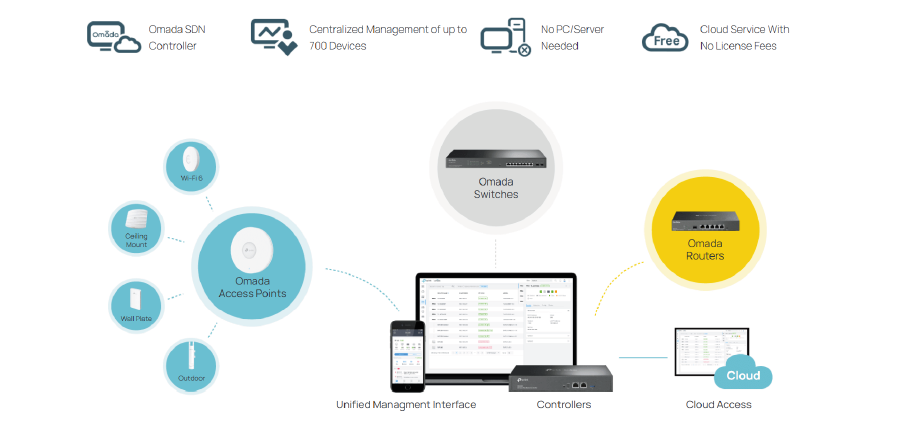
Centralized Management of Access Points, Switches, and Gateways
Through the Software Defined Networking platform, the OC300 hardware controller provides the capability for fully centralized management of access points, switches, and gateways — all utilizing only one interface.
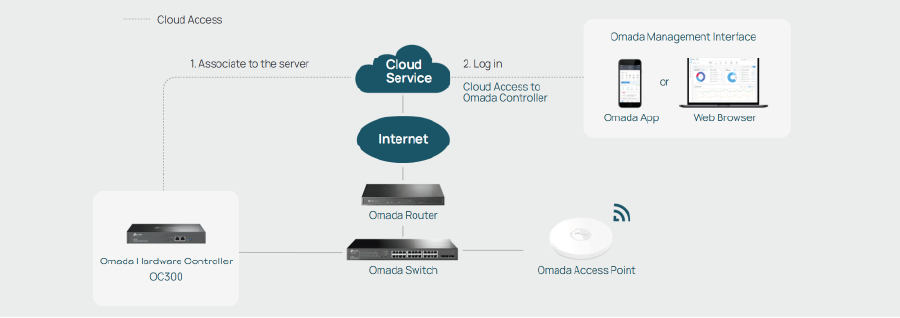
Even Greater Convenience with Hybrid Cloud
Remote control over the network in the cloud from anywhere in the world is now a reality — this possibility is provided by Hybrid Cloud technology. By managing the network locally, you do not have to worry about its security and operational stability.
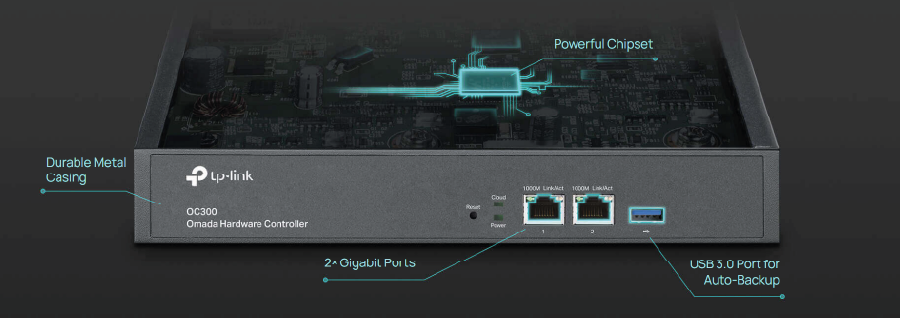
Highest Quality Design
The advanced design and latest chipset make the OC300 the ideal device for managing even the most demanding business network. The ability to mount in a rack cabinet or on a desktop provides great flexibility in finding the right location for the device.
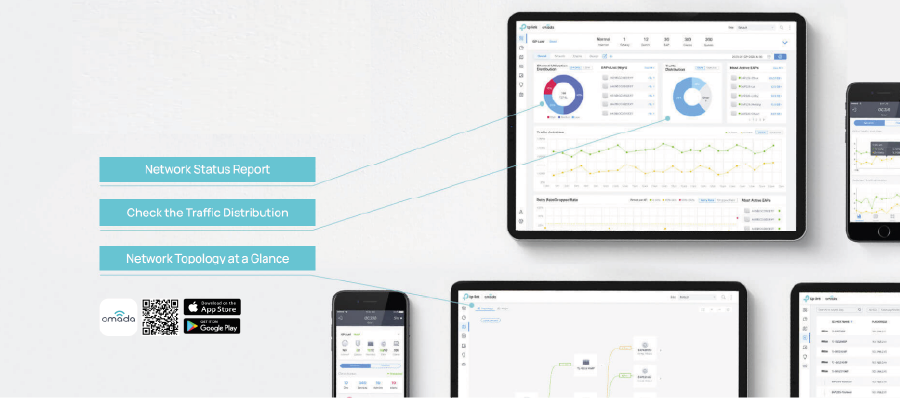
Easy and Intelligent Network Status Monitoring
The easy-to-use panel is very helpful for constantly monitoring network status, checking network bandwidth usage and traffic intensity, accessing logs with network statistics, receiving notifications and warnings, and even tracking key business development data. Network topology allows IT specialists to quickly diagnose any connection problems.
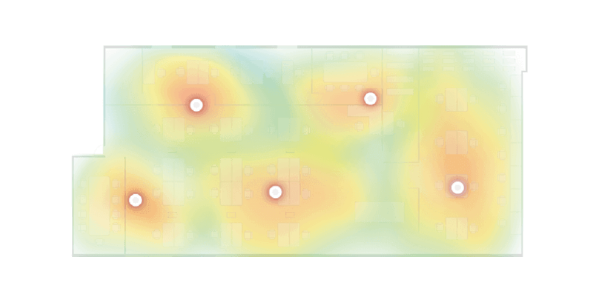
Wi-Fi Heatmap Simulator
Generate a Wi-Fi solution by simulating the impact of access points on wireless network coverage in a real location. Determine the appropriate number and location of access points according to coverage requirements.
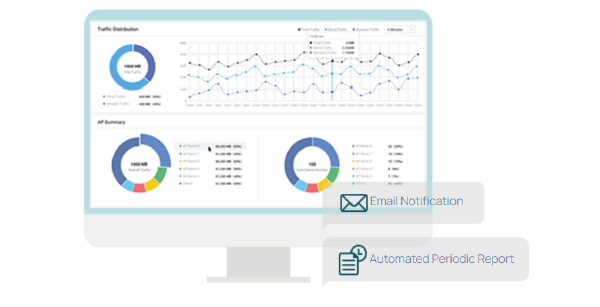
Network Report Visualization for Convenient Summary
Facilitate service providers in easily reporting network service quality to their clients with reports. IT administrators can also easily report network operating status using reports.
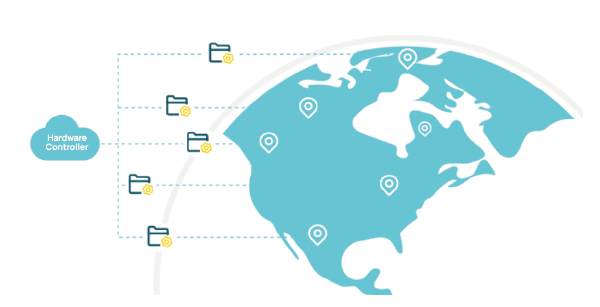
Group Management, Multi-Site Network Management, and Remote Software Updates
Ensure smooth network operation without the need to visit individual locations or separately configure devices.
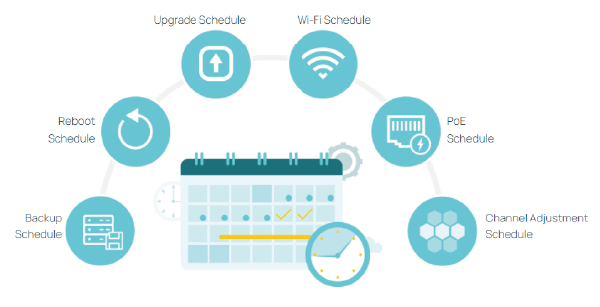
Reliable Schedules
Increase the flexibility and efficiency of processing processes related to network operation. Automate all actions so you don't waste time on manual configurations.
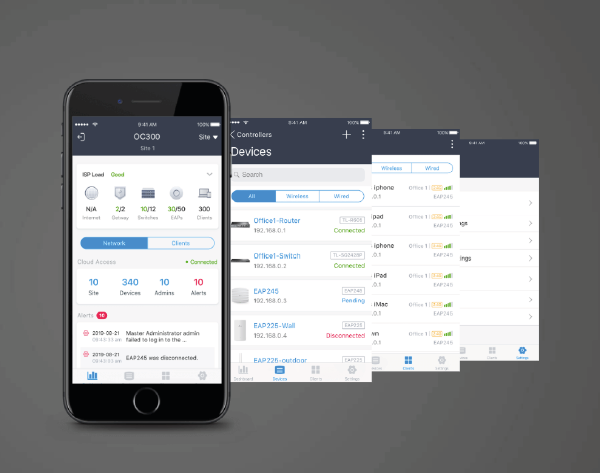
Management Convenience with the Omada App
Accessing network settings and remote configuration is extremely simple — just download the Omada application to your smartphone.
| Omada On-Premises Controller | Omada Cloud-Based Controller | |||
|---|---|---|---|---|
| Hardware Controller (OC300) |
Hardware Controller (OC200) |
Software Controller | ||
| Management Scale | <500 Devices | <100 Devices | <1,500 Devices* | Unlimited** |
| Usage Method | Connect to the intranet | Deploy to intranet servers or private clouds |
Log in and use | |
| Network Type | Small/Medium local network | Medium/Large network | Medium/Large multi-site network | |
| Pricing Model | Hardware costs | Free | Service subscription fee*** | |
| Cloud Access | √ | √ | √ | √ |
| Automatic Channel Selection |
- | - | - | √ |
| Zero-Touch Provisioning |
- | - | - | √ |
The most important features:
- Centralized management for up to 500 Omada access points, JetStream switches, and SafeStream routers.
- Cloud access to manage from anywhere, anytime.
- Locally monitor and manage devices with the ultimate security and stability.
- The Omada app for convenient management.
- Industry-leading hardware design with a powerful chipset, durable metal casing, and USB 3.0 port for auto backup.
- Batch management, multi-site management, and remote firmware updates benefit network maintenance.
- The easy-to-use dashboard makes it easy to see your real-time network status and check network usage and traffic distribution.
- Network topology helps IT admins quickly see and troubleshoot connections at a glance.
Specification
| TP-Link OC300 | |
|---|---|
| HARDWARE FEATURES | |
| Interface | 2× 10/100/1000 Mbps Ethernet Ports 1× USB 3.0 Port |
| Power Supply | 100–240 V~50/60 Hz, 0.6 A |
| Dimensions | 11.6 × 7.1 × 1.7 in (294 × 180 × 44 mm) |
| MANAGEMENT | |
| Omada App | Yes |
| Centralized Management |
*Only some JetStream switches and Safestream gateways can be centrally managed by OC300, please refer to www.tp-link.com/business-networking/all-omada/ to find all the models supported by OC300 |
| Cloud Access | Yes |
| L3 Management | Yes |
| Multi-site Management | Yes |
| Management Features | Automatic Device Discovery Batch Configuration Batch Firmware Upgrading Intelligent Network Monitoring Abnormal Event Warnings Unified Configuration Reboot Schedule Captive Portal Configuration |
| OTHERS | |
| Certification | CE, FCC, RoHS |
| Package Contents | Omada Hardware Controller OC300 Quick Installation Guide Ethernet Cable Power Cord Rackmount Kit |
| System Requirements | Microsoft® Windows®10, 8, 7,Vista™, XP or MAC® OS, NetWare®, UNIX® or Linux |
| Environment | Operating Temperature: 0–50 ℃ (32–122 ℉) Storage Temperature: -40–70 ℃ (-40–158 ℉) Operating Humidity: 10–90% RH non-condensing Storage Humidity: 5–90% RH non-condensing |
*Actual management scale of the Omada Software Controller depends on the PC/server’s hardware specifications.
**The management scale of the Omada Cloud-Based Controller may vary according to the service subscription fee.
***Subscription services of the Omada Cloud-Based Controller is differentiated by tier.
Customers who bought this product also purchased
Other products in the same category that you may find interesting: