



 Polski
 English
 Italiano
 Español
 Čeština
 Српски
 Deutsch
 Ελληνικά
 Slovenský



-
€


TP-Link RE300 mesh wireless range extender AC1200
Price
28,50 €
35,06 € incl. tax
favoriteAdd to wishlist

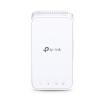
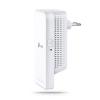
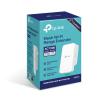
The TP-Link RE300 is a WiFi range extender adapted for Mesh networks. It can operate in the 2.4 GHz and 5 GHz bands simultaneously, supporting IEEE 802.11 b/g/n (2.4 GHz) and IEEE 802.11 a/n/ac (5 GHz) standards. It utilizes 2x2 MIMO, with a maximum theoretical throughput of 300 Mb/s} in the 2.4 GHz band and 867 Mb/s in the 5 GHz band. The device plugs directl into an electrical outlet, takes up little space, and is discreet.
Why do you need an OneMesh™ Extender?

Missing Wi-Fi coverage in the bedroom?
Network Extender
Do you lose connection when moving around the house?
OneMesh™ with Smart Roaming function


Is the network constantly buffering?
AC1200 Dual-Band Speed
Are you struggling with complicated network configuration?
Simple Two-Step Configuration

Whole-Home Wi-Fi
The RE300 connects wirelessly to your Wi-Fi router, boosts and expands the router's signal, sending it to areas it previously did not reach.
With speeds up to 300 Mb/s on the 2.4 GHz band and 867 Mb/s on the 5 GHz band 1, the RE300 delivers strong, fast Wi-Fi to every room, eliminating dead zones.
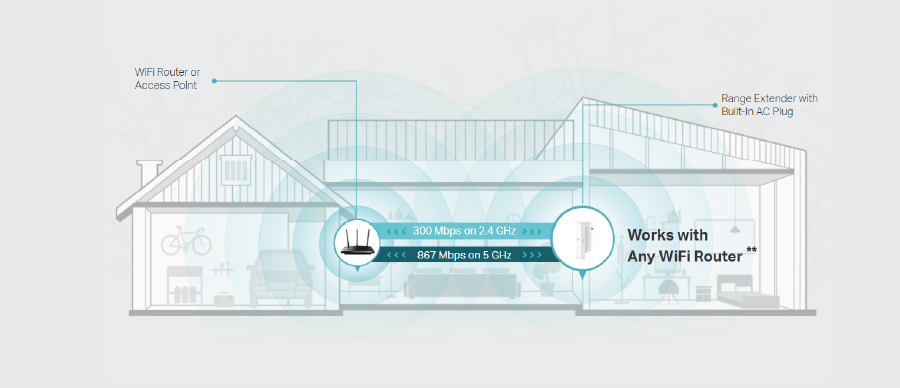
TP-Link OneMesh™
OneMesh™ is a simple way to create a Mesh network with a single Wi-Fi name. Simply connect an OneMesh™ extender to an OneMesh™ router and enjoy a stable, seamless connection throughout your home.
- Smart Roaming Uninterrupted streaming when moving around the house
- One Wi-Fi Name No more switching Wi-Fi network names
- Easy Installation OneMesh™ Router + OneMesh™ Extender
- Unified Management Manage the entire network with one Tether App
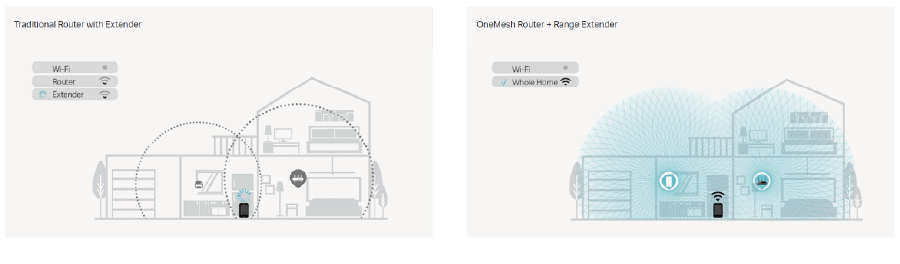
Mesh Network Without Changing Your Router
Want to enjoy the benefits of a Mesh network? Are you wondering if you need to replace your router and buy a Mesh kit? TP-Link OneMesh™ resolves this dilemma.
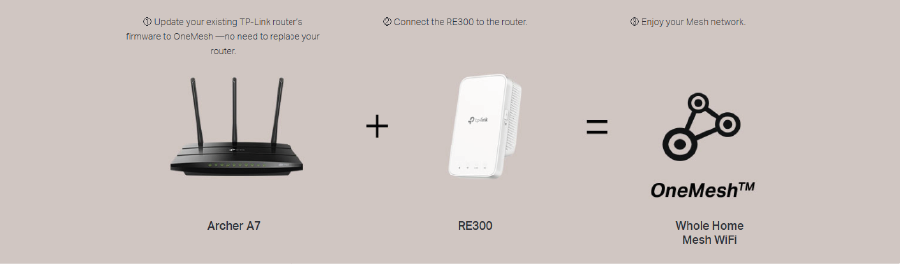
Secure Connection with One Touch - Simple Configuration
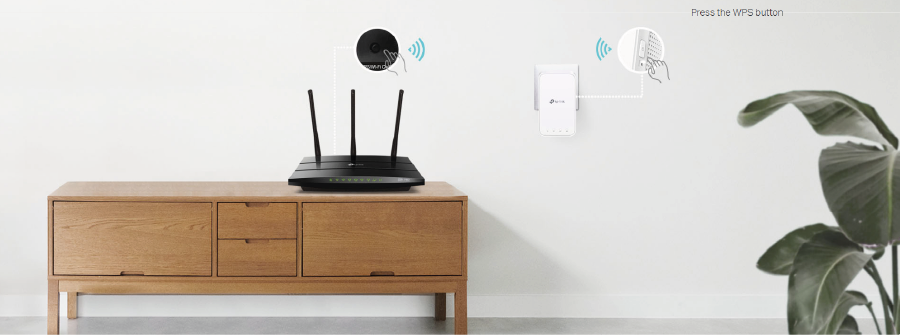
Step 1: To connect to the network, press the WPS button on your router and – within $2$ minutes – the WPS button on the RE300.
Step 2: Once connected, place the RE300 in the location that guarantees the best device performance. Reconfiguration is not needed.
Note: If your router does not support WPS, connect the extender to the router via the Tether app or the user interface.
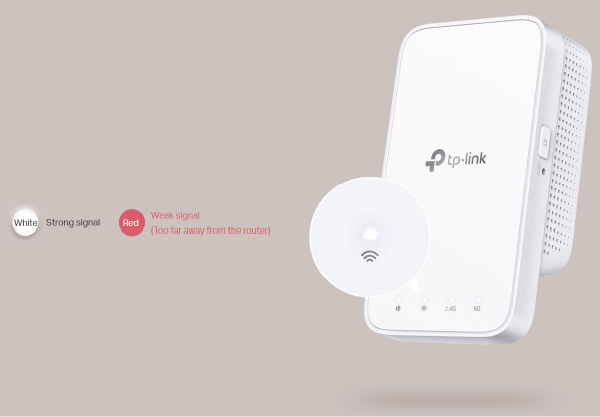
Find the Best Location Using the Intelligent Signal Indicator
The intelligent signal indicator will instantly find the best spot for the RE300 extender.
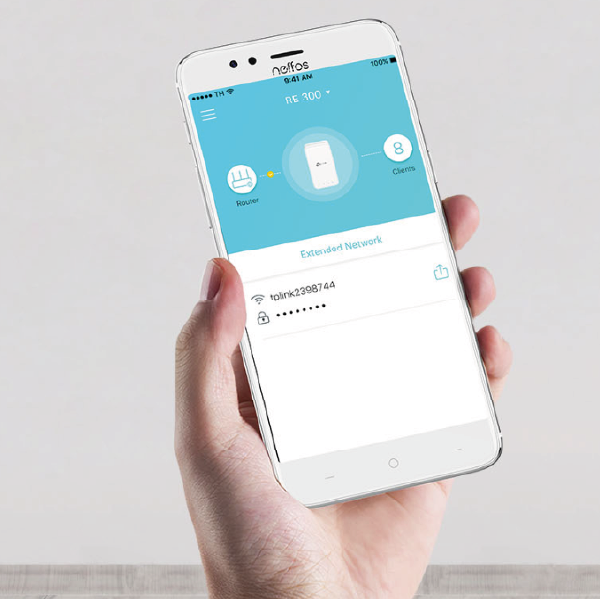
Simple Management with the Tether App
TP-Link Tether is an intuitive application that allows users to constantly monitor the status of the range extender, control its functions,
and change settings on any mobile device.
Specifications
| TP-Link RE300 | |
| Hardware Features | |
|---|---|
| Plug Type | EU |
| Button | WPS Button, Reset Button |
| Input Power | 100-240V~50/60Hz |
| Power Consumption | 7.3W(max power consumption) |
| Dimensions ( W x D x H ) | 4.9 x 2.7 x 2.0 in (124 x 69 x 52 mm) |
| Antenna | 2 Internal Antennas |
| Wireless Features | |
| Wireless Standards | IEEE 802.11a/n/ac 5GHz, IEEE 802.11b/g/n 2.4GHz |
| Frequency | 2.4GHz and 5GHz |
| Signal Rate | 300Mbps at 2.4GHz, 867Mbps at 5GHz |
| Reception Sensitivity |
5GHz:
2.4GHz: |
| Wireless Functions | Enable/Disable Wireless Radio DFS (the latest firmware and hardware version is required) Access Control LED Control Power Schedule Wi-Fi Coverage |
| Wireless Security | 64/128-bit WEP WPA-PSK / WPA2-PSK |
| Transmission Power | 2.4G<17dBm, 5G<17dBm |
| Others | |
| Package Contents | AC1200 OneMesh Wi-Fi Range Extender RE300 Quick Installation Guide |
| Box Dimensions (W X D X H) | 6.2 x 4.0 x 3.5 in. (156.5 x 101.5 x 89 mm) |
| System Requirements | Microsoft® Windows® 98SE, NT, 2000, XP, Vista or Windows 7, 8, 10, Mac® OS, NetWare®, UNIX® or Linux. |
| Operating Temperature | 0°C~40°C (32°F~104°F) |
| Storage Temperature | -40°C~70°C (-40°F~158°F) |
| Operating Humidity | 10%~90% non-condensing |
| Storage Humidity | 5%~90% non-condensing |
Customers who bought this product also purchased
Other products in the same category that you may find interesting: