



 Polski
 English
 Italiano
 Español
 Čeština
 Српски
 Deutsch
 Ελληνικά
 Slovenský




-
Kč
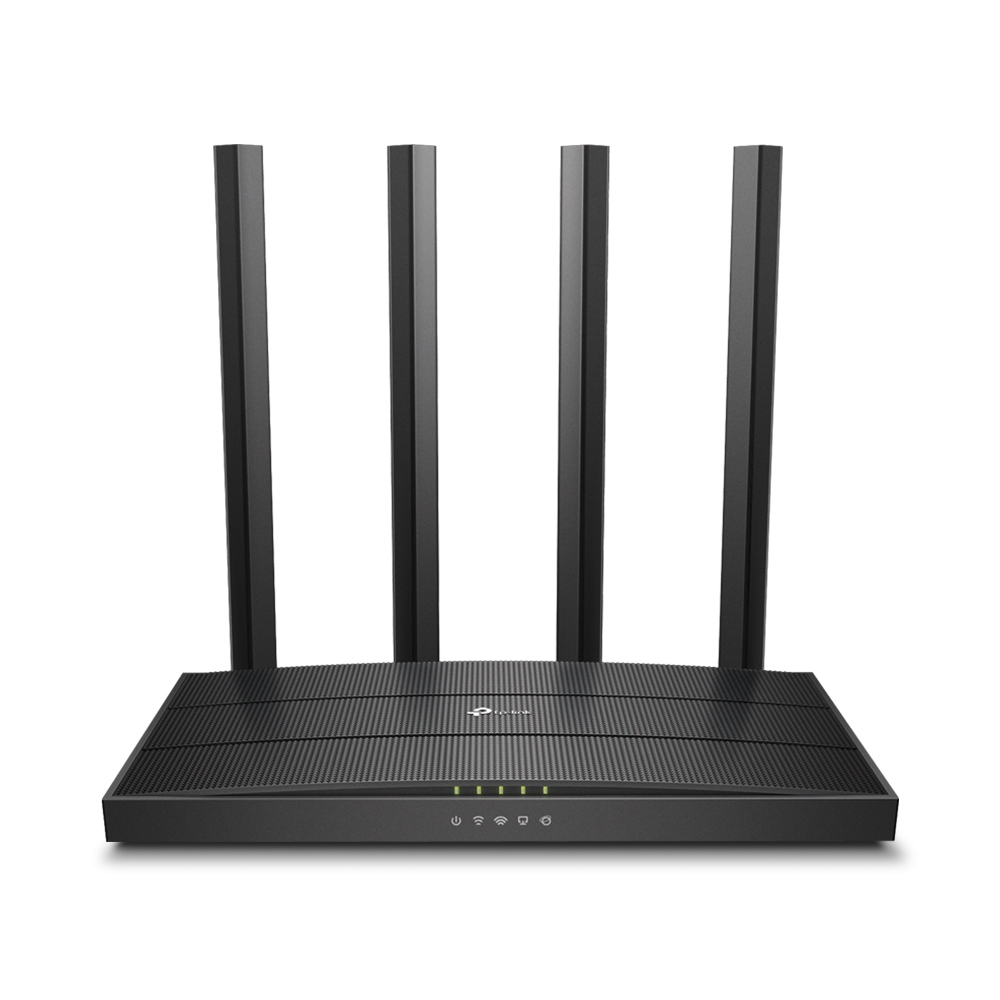
TP-Link Archer C80 dual band wireless router AC1900 MU-MIMO
Price
874,41 Kč
1 075,52 Kč incl. tax
favoriteAdd to wishlist
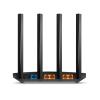
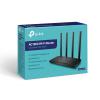
The TP-Link Archer C80 is a desktop, dual-band wireless router of the AC1900 class, designed for use in home or small office (SOHO) environments. The device operates on IEEE $802.11 a/b/g/n/ac standards and utilizes 3x3 MU-MIMO technology for simultaneous communication with multiple devices. The router provides a combined theoretical throughput of up to 1900 Mb/s}, which includes speeds up to 600 Mb/s in the 2.4 GHz band and up to 1300 Mb/s} in the 5 GHz band. Wired connectivity is provided by four Gigabit Ethernet (10/100/1000 Mb/s) LAN ports and one Gigabit Ethernet (10/100/1000 Mb/s) WAN port. The router is equipped with three external, fixed antennas that utilize Beamforming technology to focus the signal towards connected devices. The device supports security features such as WPA3/WPA2/WPA encryption and Parental Controls. The router is managed via a web interface or the dedicated Tether application.
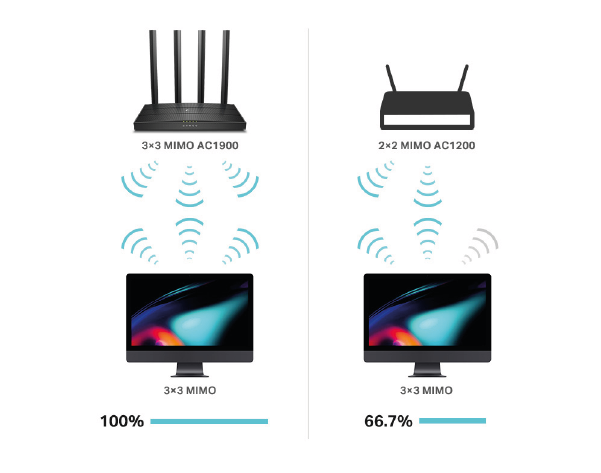
Maximum Wi-Fi Performance with Three Data Streams
3×3 MIMO technology allows the Archer C80 to transmit and receive data using three streams simultaneously. 3×3-capable computers — such as Macs — form a perfect pair with the router, operating at their maximum performance, significantly higher than when connecting to 2×2 MIMO routers.
Ultra-Fast Home Wi-Fi Network with $802.11\text{ac Wave2}$ Standard
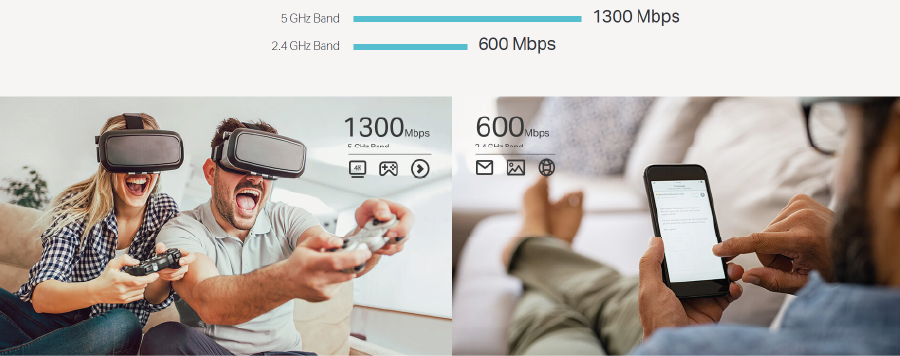
The Archer C80 provides access to an efficient and affordable Wi-Fi network with a combined speed of $1900\text{ Mb/s}$. The $2.4\text{ GHz}$ band is sufficient for activities that slightly burden the network, such as sending emails or using a web browser, while the $5\text{ GHz}$ band is ideal for bandwidth-intensive tasks, such as online gaming or $4\text{K}/8\text{K UHD}$ streaming — all without noticeable delays.
Whole-Home Wi-Fi Coverage
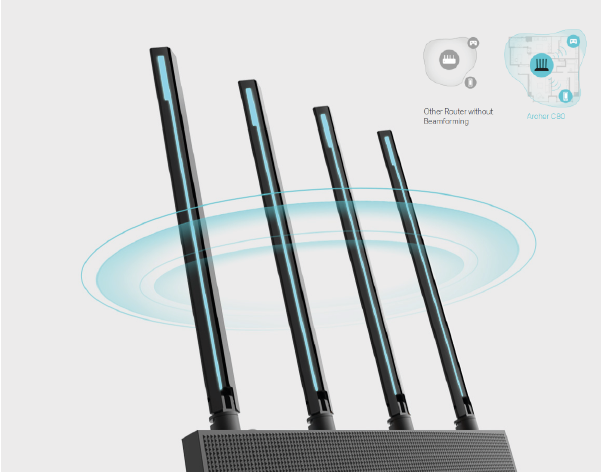
Four high-performance external antennas deliver the Wi-Fi signal to every corner of your home. Beamforming technology detects devices and sends a strong Wi-Fi signal in their direction, even if they are in a distant location or have a low power level.
Flexible Creation of a Home Wi-Fi Mesh Network
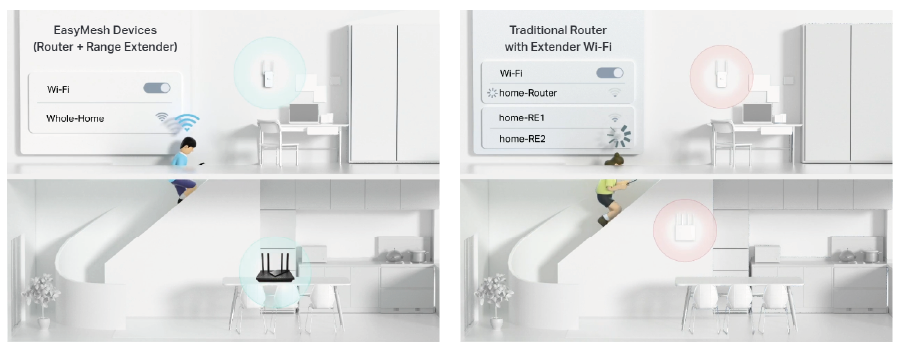
If you have dead zones in your home, simply add more EasyMesh-compatible devices to expand your home WiFi Mesh network. Forget about searching for a stable connection signal.
Wi-Fi Dead Zone Killer Eliminates areas of weak WiFi signal throughout the house
Smart Roaming Uninterrupted streaming as you move around the house
One WiFi Name No more switching between WiFi networks
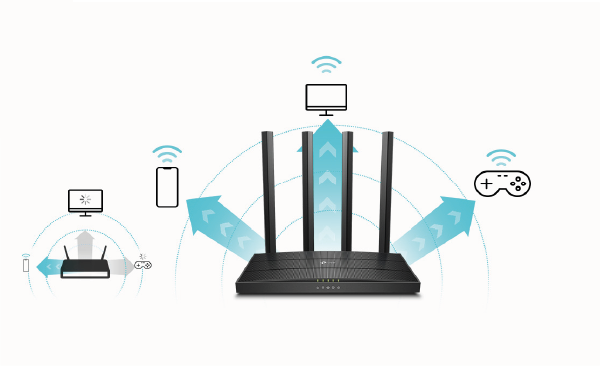
More Simultaneous Connections
Thanks to MU-MIMO technology, the Archer C80 increases the efficiency of the connections offered, helping devices achieve optimal operational performance. Devices always transmit and receive data on the less congested band at any given moment. Unlimited, lag-free entertainment on all devices becomes a reality.
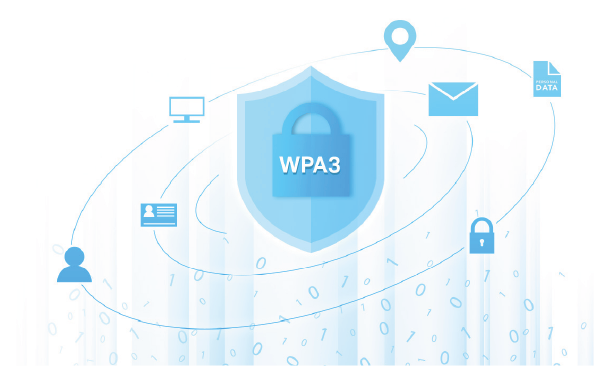
Advanced Security with WPA3
Easy network configuration in multiple locations without the need to send a technician for on-site configuration. Manage remotely using the Omada app or web page, which offer a free Essentials version of cloud services, lowering maintenance costs for MSP/SI.
Better Wi-Fi Segmentation Means Greater Performance
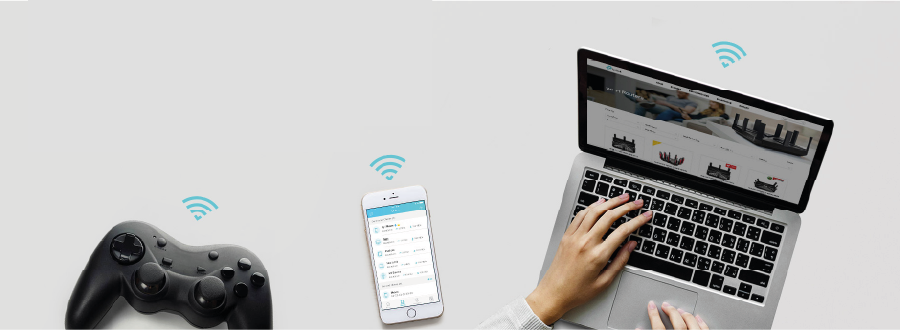
The Smart Connect feature allows devices to automatically connect to the less congested Wi-Fi band at any given moment, while the Airtime Fairness feature prevents older devices from slowing down network speed. The combination of these features ensures access to smoother, lag-free Wi-Fi connections.
Gigabit Speed Ports
Gigabit Ethernet ports (1 WAN + 4 LAN) ensure maximum wired speeds. Connect your computer, smart TV, or gaming console and enjoy reliable connections.
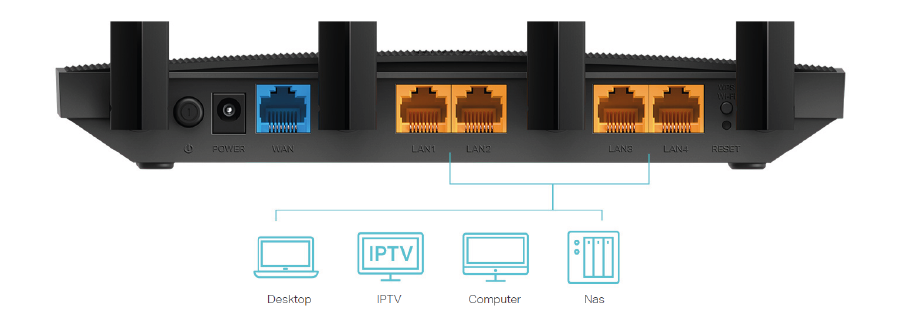
Home Network Customization
The Archer C80 provides many advanced tools for personalizing network settings.

Parental Controls
Using the Parental Controls feature, you can block inappropriate content and set daily limits for your children's access to the Internet.
Guest Network
The Guest Network feature allows you to create an additional wireless network, enabling guests to use the Internet without granting them access to local network resources.

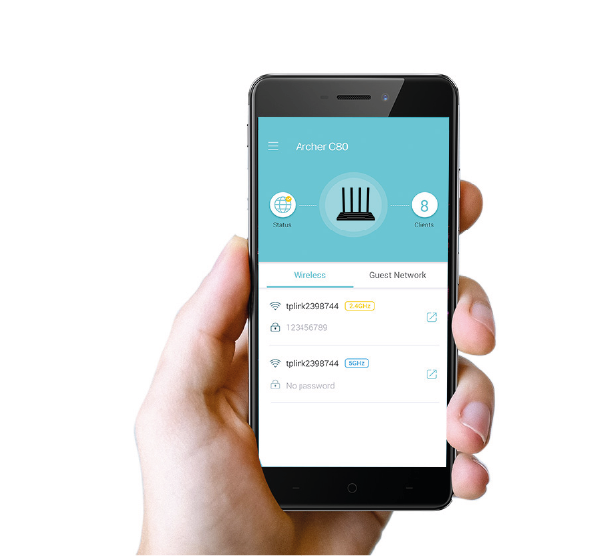
Easy Management with the Tether App
It only takes a few minutes to configure the Archer C80 router using the intuitive Tether app or via the management page. Tether is an application that you can quickly download to your Android or iOS phone and use to easily configure all network settings.
Specification
| Archer C80 | |
| Hardware | |
|---|---|
| Ethernet Ports | 1× 10/100/1000 Mbps WAN Port, 4×10/100/1000 Mbps LAN Po |
| Buttons | WPS/Wi-Fi Button, Power On/Off Button, Reset Button |
| Antennas | 4 Fixed Omni Directional Antennas |
| External Power Supply |
US version 12V/1.5A EU version 12V/1A |
| Dimensions (W x D x H) | 8.5 × 4.6 × 1.26 in (215 × 117 × 32mm) |
| Wireless | |
| Wireless | 1300 Mbps on 5 GHz + 600 Mbps on 2.4 GHz |
| Frequency | 2.4 GHz and 5 GHz |
| Transmit Power |
CE: <20dBm(2.4 GHz), <23dBm(5.15 GHz~5.25 GHz) FCC:<30dBm(2.4 GHz & 5 GHz) |
| Reception Sensitivity: |
5 GHz: 11a 6Mbps:-98dBm, 11a 54Mbps:-78dBm 11ac VHT20_MCS0:-98dBm, 11ac VHT20_MCS8:-72dBm 11ac VHT40_MCS0:-92dBm, 11ac VHT40_MCS9:-68dBm 11ac VHT80_MCS0:-89dBm, 11ac VHT80_MCS9:-64dBm
2.4 GHz: 11g 6Mbps:-97dBm, 11a 54Mbps:-77dBm 11n VHT20_MCS0:-97dBm, 11n VHT20_MCS8:-72dBm 11n VHT40_MCS0:-92dBm, 11n VHT40_MCS9:-67dBm |
| Wireless Function | Enable/Disable Wireless Radio, WMM |
| Wireless Security | 64/128-bit WEP, WPA/WPA2, WPA-PSK/WPA2-PSK encryptions |
| Software | |
| Quality of Service | Device Prioritization |
| WAN Type | Dynamic IP/Static IP/PPPoE(Dual Access)/PPTP(Dual Access)/L2TP(Dual Access) |
| Management | Access Control, Local Management, Remote Management |
| DHCP | Server, DHCP Client List, Address Reservation |
| Port Forwarding | Port Forwarding, Port Triggering, UPnP, DMZ |
| Dynamic DNS | DynDns, NO-IP, TP-Link |
| Access Control | Parental Controls, Local Management Control, White List, Black List |
| Firewall Security | SPI Firewall, IP and MAC Address Binding |
| Protocols | IPv4, IPv6 |
| Guest Network | 2.4 GHz Guest Network, 5 GHz Guest Network |
| Others | |
| Certification | CE, FCC, RoHS |
| System Requirements |
Microsoft Windows 98SE/NT/2000/XP/Vista™/7/8/8.1/10, MAC OS, NetWare, UNIX or Linux Internet Explorer 11, Firefox 12.0, Chrome 20.0, Safari 4.0, or other Java-enabled browser Cable or DSL Modem Subscription with an internet service provider (for internet access) |
| Environment |
Operating Temperature: 0°C~40°C (32°F ~104°F) Storage Temperature: -40°C~70°C (-40°F ~158°F) Operating Humidity: 10%~90% non-condensing Storage Humidity: 5%~90% non-condensing |
| Package Contents |
Wireless Router Archer C80 Power Adapter RJ45 Ethernet Cable Quick Installation Guide |
Customers who bought this product also purchased
Other products in the same category that you may find interesting: